ChatGPT just gave every business a profile. Position yourself as the strategist who can help them!
A done-for-you, rebrandable kit that helps you explain ChatGPT Business Hub to clients, check who qualifies, claim and verify their profile, and report on it every month. Put your name on it and use it this week.
- 16 client-ready files plus an offline toolkit app, all with private label rights.
- The exact claim, verify, and reporting steps, written with OpenAI's own button names.
- Checked against OpenAI's own pages on November 16, 2026, with its sources listed.
Launch pricing opens Tuesday, November 17 at 10 AM Central, for a short window only.
One payment. Delivered as a Google Doc copy and an app file.
Your clients are about to ask you about this. Will you have an answer?
On November 10, 2026, OpenAI opened something called Business Hub. For the first time, a business can claim its own profile inside ChatGPT.
Here is what that means in plain terms. When a customer asks ChatGPT about a business, the owner now has a say in the information ChatGPT uses. They can claim the profile, fix wrong details, and see real reporting. They can see how often ChatGPT mentioned them, how many people clicked through to the website, and what topics people were asking about over the past 28 days.
This is brand new, and it is free during the beta. That is exactly the moment a sharp consultant wants to be in the room. Not after every agency in town has it figured out. Right now, while owners are confused and looking for someone who already knows how it works.
The catch is that doing it right takes real homework. You have to learn the claim steps, the identity check, who qualifies, what the numbers actually mean, and what you are honestly allowed to promise. On a beta that keeps changing, that is hours of digging before you can say one confident sentence to a client.
That is the work this kit already did.
Why does a done-for-you kit beat figuring out a brand-new beta yourself?
Being early is only an edge if you can act on it this week. The slow way is to read OpenAI's pages, test the claim flow, work out who qualifies, and then write your own guide, FAQ, emails and report before a single client sees anything. By the time you finish, early is over.
The kit hands you that whole service already built and already checked. You rebrand it, run the eligibility check on a real client, and start the conversation while it still feels new. You spend your time talking to clients, not researching a moving target.
| Starting from a blank page | Starting from the kit | |
|---|---|---|
| The first move | Read a moving beta and take notes | Run the Eligibility Checklist on a client |
| What a client gets | An explanation from memory | A branded guide, audit and report |
| The claim steps | You work them out by trial and error | Written with OpenAI's own button names |
| Staying accurate | You hope you read it right | Checked against OpenAI's pages, sources listed |
| Getting clients | You write the emails and posts | Emails, social posts and an offer are included |
| Reporting | You build a report template from scratch | A monthly report and review checklist are ready |
Who is this kit for, and who should skip it?
A good fit if
- You're a marketing consultant or small agency who serves local or online businesses.
- You want a service you can offer clients around this new ChatGPT feature.
- You would rather rebrand finished files than research a beta and write it all yourself.
- You want to be early and look like the expert while owners are still confused.
Probably not for you if
- You want a tool that claims and manages profiles for you. This is a kit, not software that does the work.
- You're hoping to promise clients more ChatGPT recommendations. Nobody has shown claiming does that.
- You want to resell the PLR rights themselves. You can't.
- You plan to publish it untouched. Read it, edit it and add your name first.
What is the ChatGPT Business Hub Agency Kit?
It is a full client service in a box. Sixteen client-ready files take you from the first explainer all the way to the monthly report, plus an offline toolkit app that builds your templates and prints branded reports.
It is deliberately simple. Claim the profile, check it, report on it, and do not oversell it. That honest approach is built into every file, so you look like the expert who tells the truth instead of the one chasing hype.
It comes with full PLR. Put your name on it, change what you like, publish the articles and posts, hand the guides and worksheets to clients, and sell it within the limits listed further down this page.
How does the kit turn a new feature into a real service?
Every file in the kit fits one simple path. I call it the four C's. Each step has its own files, so you always know what to do next and what to hand the client.
Check · Claim · Correct · Count
- Check
Run the Eligibility Checklist first. In about five minutes you know what the client can and cannot do, including whether they qualify for a Business Agent or can only claim a listing.
- Claim
Walk the owner through claiming the profile and passing the Persona identity check, using the step-by-step SOPs written with OpenAI's own button names. The owner does the ID check. You guide them.
- Correct
Collect the details once with the Business Info Worksheet, then run the Readiness Audit and hand the client a clean findings report. This is where you fix what ChatGPT has wrong.
- Count
Each month, read the Insights the honest way and give the client a simple report of mentions, website clicks and discovery topics. This is what keeps them on retainer.
Four small steps beat one big vague promise. You can follow it, the client can see it, and every step has a file behind it.
What can you actually do with this kit?
Offer it to clients
Use the one-page offer, the outreach emails and the discovery call script to add a claim-and-report service to what you already do for local and online businesses.
Hand pieces to a client
Rebrand the guide, the readiness report and the monthly report, and slide them across the table so the documents do the talking for you.
Open the conversation with your list
Send the announcement email and the five-email series, post the 15 social updates, and record the three short video scripts to camera.
Add it to a retainer
Report every month on what ChatGPT's Insights show, so a one-time setup turns into ongoing paid work.
Why take my word on a brand-new beta?
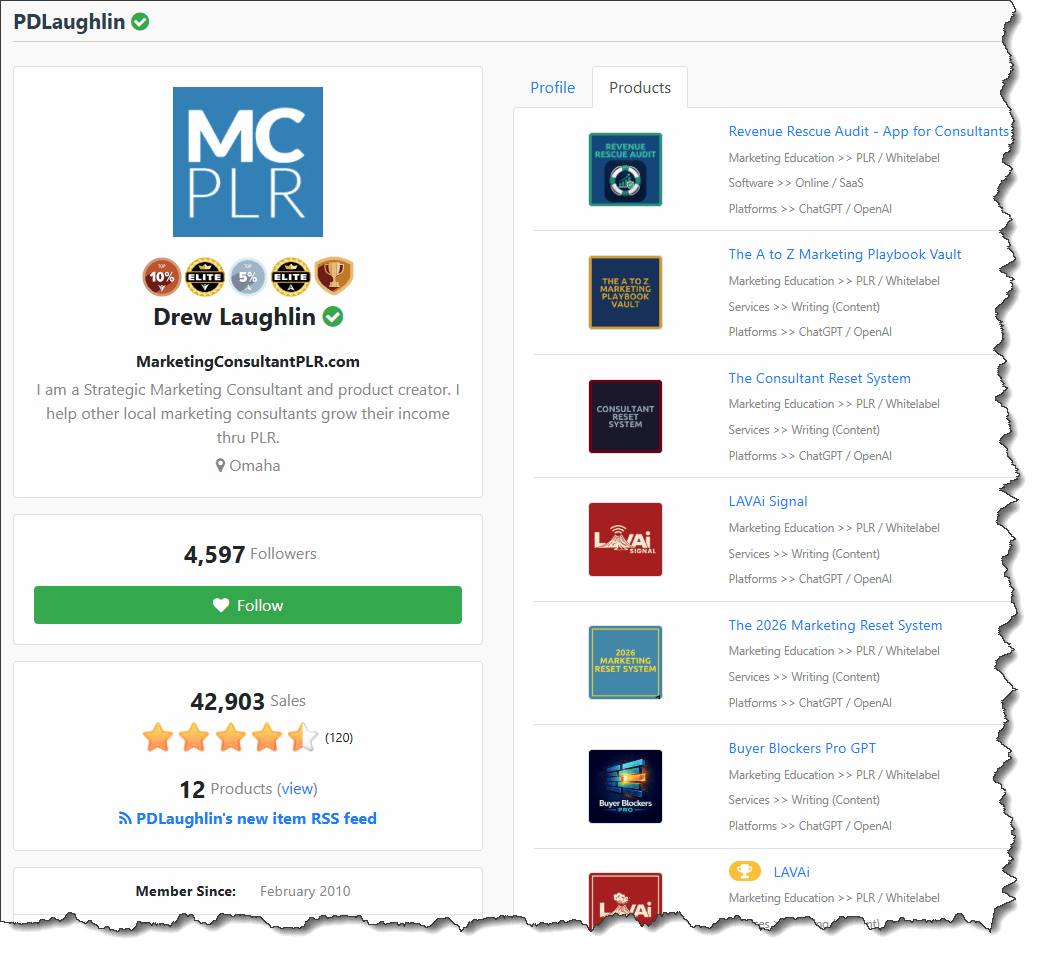
I'm Drew Laughlin. I'm an active local marketing consultant, I coach other consultants, and I build products they use in their own businesses.
Over the past few years I've created more than 200 PLR products that several hundred consultants use with their clients. I keep asking my customers what they need right now, then my team and I build it. When ChatGPT opened Business Hub, I checked it against OpenAI's own pages and turned it into a kit you can use without doing the homework yourself.

What's inside the kit, file by file?
Sixteen files, grouped by where they fit in your work.
- File 01Complete Guide you can rebrand and hand to clients
- Files 02-03Two articles: what it is, and Hub vs Google Business Profile
- File 04Client FAQ with plain answers to the first questions
- File 05Eligibility Checklist, five minutes to know what's possible
- File 06Claim and Verify checklist for the owner and the ID check
- File 07Business Info Worksheet to collect everything once
- File 08Readiness Audit and a client findings report
- File 09Insights and Report, with a monthly report and review checklist
- File 10Email Sequence: an announcement plus a five-email series
- File 11Outreach Emails: cold, follow-up and renewal
- File 1215 Social Posts ready to publish
- File 13Three Video Scripts you can read to camera
- File 14Offer and Proposal pack with a discovery call script
- BonusAgent Worksheet for clients who qualify for a Business Agent
- SOPsThree step-by-step SOPs: claim and verify, agency access, update info
- SupportTroubleshooting and Support, plus Sources and Accuracy
What is the Business Hub Toolkit app?
The files do the explaining. This bonus does the busywork.
ChatGPT Business Hub Toolkit
A single-file web app that runs in your browser with no logins and no monthly fee. Fill in your info and a client once, and it fills your templates, runs the eligibility check, tracks setup status, and prints a branded prospect report and monthly report you can save as a PDF.
It keeps each client separate, flips between light and dark, and stamps your name on what it prints. You do not install anything. You open the file and work.
39 ready templates · eligibility check · branded reports

How do you get the kit, and what do you do first?
- Order
You make one payment. Orders are processed and secured by PayPal through WarriorPlus.
- Access
You land on a confirmation page with an access button, and you get a Google Doc copy of the kit plus the offline app file.
- Start
Make a copy, add your name, and open the Eligibility Checklist. Run it on one real client and you have something to use the same day.
If you get stuck, use the Contact Us link at the bottom of this page.
What should you know before you buy?
Does this even work for a local plumber or a dentist?
Yes, for claiming. A local business can claim and fix an existing listing. The one honest limit is Business Agents, which are open to eligible US ecommerce and online service businesses right now, so a local shop can claim a listing but cannot publish an agent yet. The Eligibility Checklist tells you which bucket a client is in before you promise anything.
Is this just hype? Does claiming get them recommended more?
No, and the kit says so out loud. Nobody has shown that claiming gets a business recommended more often. What it does get is accurate information inside ChatGPT and real reporting. Selling it honestly is what keeps the client past month one, and this kit is written to protect you from overpromising.
Where do I start, and is it complicated?
You start with the checklist, then follow the SOPs. Each one uses OpenAI's own button names, so you are reading a client the exact screen in front of them. The owner completes the identity check personally with Persona. You prepare them and walk them through it. There is nothing to install and no code to touch.
It is a beta. Won't the facts be wrong next week?
Everything was checked against OpenAI's own help page, announcement, and policy pages on November 16, 2026. There is a Sources section that shows where each fact came from and a checklist to run before you sell. Because it is a beta, you re-check those pages before a client promise, and the kit tells you exactly which ones to read.
Do I have to do the client's identity verification for them?
No, and you should not. The business owner completes the identity check themselves with OpenAI's partner, Persona. The kit gives you the owner-facing checklist so you can hand it over and guide them through it without touching their personal ID.
What Our Customers Say
Kind words from customers across Drew's PLR products, not results from this new kit.
What can you do with the PLR rights?
This is a private label rights product. You can use it in your own business and hand the finished pieces to clients. What you cannot do is pass the editable kit or the PLR rights on to someone else.
You can
- Edit and change any of it
- Put your name and brand on it
- Publish the articles and social posts
- Hand the guides, checklists and worksheets to clients
- Use the worksheets, scripts and SOPs in your own consulting
- Set your own final license terms before you sell
You can't
- Resell or give away this editable kit itself
- Pass these PLR rights on to anyone else
- Use it untouched. Add your name and edit it first.
- Use Drew's name or company name in any way
What are your options?
Wait and see
You keep an eye on it and deal with it later. The risk is a client asks first, you're not ready, and the consultant who was ready gets the retainer conversation.
Build it yourself
You can do this. It means hours of reading a moving beta, then writing the guide, the FAQ, the emails, the SOPs and the report templates, and keeping them current as OpenAI changes things.
Start from this kit
The homework is done and checked against OpenAI's own pages. You rebrand it, run the checklist on a client this week, and start the conversation while it's still early.
The button below shows the current price. The reason to start is simple. Your next client conversation about ChatGPT is easier when you already have the plan to show.
ChatGPT Business Hub Agency Kit
Sixteen client-ready files and the offline toolkit app, all with private label rights.
Everything Included With Your Access
| Included | What It Helps You Do | Estimated Value |
|---|---|---|
| Complete Guide | Hand clients a rebranded explainer that does the talking for you. | $67 |
| Two Articles | Publish content under your name: what it is, and Hub vs Google Business Profile. | $44 |
| Client FAQ | Answer the first questions without scrambling on a call. | $27 |
| Eligibility Checklist | Know in five minutes what a client can and cannot do. | $27 |
| Claim and Verify Checklist | Walk an owner through claiming and the Persona ID check. | $37 |
| Business Info Worksheet | Collect everything you need from a client once. | $27 |
| Readiness Audit and Findings Report | Check the profile and give the client a clean report. | $47 |
| Insights and Monthly Report Kit | Read the numbers right and stay on retainer. | $47 |
| Email Sequence | Announce it to your list with a ready series. | $57 |
| Outreach Emails | Bring in new clients and renew current ones. | $47 |
| 15 Social Posts | Talk about it online without writing from scratch. | $37 |
| Three Video Scripts | Record short videos by reading straight to camera. | $37 |
| Offer and Proposal Pack | Quote the work and close it with a one-page offer. | $67 |
| Agent Worksheet (Bonus) | Be ready when a client qualifies for a Business Agent. | $27 |
| Three Consultant SOPs | Follow OpenAI's exact screens to claim, grant access and update. | $57 |
| Troubleshooting and Sources | Fix snags fast and show where every fact came from. | $27 |
| Bonus: Business Hub Toolkit App | Build 39 templates and print branded reports offline. | $117 |
| Total Estimated Package Value | $796 |
Values are estimates of practical usefulness, not separate selling prices.
Ready to put your name on it?
One payment gets you everything above.
Before you order: this is a one-time payment, with no future payments. Because it is a digital PLR product, all sales are final and there are no refunds. After you order, you land on a confirmation page with an access button, and you get a Google Doc copy of the kit plus the offline app file. Orders are processed and secured by PayPal through WarriorPlus.com.
Add the Content Booster: 20 done-for-you articles
Want a month of content ready the day you buy? The Content Booster adds 20 full articles on ChatGPT Business Hub. Publish them on your blog, slice them into posts and emails, or hand them to clients. They cover the questions people are already typing into search.
- What Is ChatGPT Business Hub and How Does It Work?
- How to Claim Your Business in the Hub
- How to Set Up Your Business Profile
- Guide for Local Businesses
- Hub vs Google Business Profile
- How It Can Benefit Small Businesses
- How to Manage Your Business Information
- How to Check If Your Business Is Listed
- Eligibility Requirements Explained
- How to Add Your Business to the Hub
- How to Update Your Business Profile
- How to Access and Understand Insights
- What Local Business Owners Need to Know
- Common Verification Problems and Solutions
- How Agencies Can Use It for Clients
- How to Give Your Agency Access
- How It Tracks Mentions and Website Clicks
- Can It Help You Get More Customers?
- Best Practices for Small Business Owners
- How to Verify Your Business in ChatGPT
Tick it at checkout to add it to your order.
Frequently Asked Questions
What is ChatGPT Business Hub?
It is a new feature OpenAI opened in beta on November 10, 2026. It lets a business claim its profile inside ChatGPT, fix its information, and see how often ChatGPT mentions it, how many people click to the website, and what topics people were asking about over the past 28 days. It is free during the beta.
Is the kit ready to use, or do I have to finish it?
It is ready to read, edit and brand. Add your name, read each file, and change what you want before you use it with a client. The checklists, worksheets, emails, social posts and the toolkit app are all included so you can start right away.
Can I put my own name on this kit?
Yes. This is a private label rights product. You can edit it, put your name on it, publish the articles and posts, and hand the finished guides, checklists, and worksheets to your clients. You cannot resell or give away the editable kit itself, or pass the PLR rights on to anyone else.
What is the Content Booster add-on?
It is an optional add-on for $10. It gives you 20 full done-for-you articles on ChatGPT Business Hub topics that you can publish, repurpose, or hand to clients, with the same PLR rights as the kit. You add it with one click at checkout. You do not have to take it to use the kit.
How do I get it after I buy, and can I get a refund?
After you order you land on a confirmation page with an access button, and you get a Google Doc copy of the kit plus the offline toolkit app file. Because this is a digital PLR product, all sales are final and there are no refunds. Read the list of what is included before you order.
Get your head start on ChatGPT Business Hub.
Sixteen client-ready files, the four-step method, and an offline toolkit app. Rebrand it and put it to work this week.
This launch is open for a short time only. Grab it while you can.